Becoming a Professional Photographer

It is what I would consider a strange and difficult transition, but after doing Photography for as long as I have, I have decided to step up to the plate and become a little more legit about how I run things.

In the past, I have considered myself a newbie student with fancy camera equipment who liked to do favors for friends. I have always loved shooting for friends and family. The two problems I have always faced that have been brick barriers for me have been:

a.) I haven't known what to do with the images once they left the camera besides leave them completely unedited. (which doesn't look so hot)

b.) Without access to a trustworthy printer, I have just handed people JPEG images on discs, wide open, unedited, foolishly.

There are a couple of problems with well, these problems. To advance as a photographer, you must know your way around some photo software. Also, by handing out free photos as JPEGs, I have no way to pay for all this camera equipment, thus leaving me as a confused exhausted broke photographer, who just shot a bunch of photos for friends, for free, with thousands of dollars of (not so free) gear. Not only is this limiting, it has no future. It's just not right to go halfway on something like this and pour thousands of dollars of gear into something, only to limit yourself from developing any real potential.

So after a lot of work, a lot of free jobs, a lot of learning and a lot of money, I have prepared myself to develop (photo pun) into a professional photographer. I have spent the time on the education, the effort on the skills, and the dedication on the frustrations along the way, and am now prepared to really hit this career seriously. After purchasing the Adobe Master Collection last Spring and spending an entire summer shooting, not to mention years of previous preparation, I feel ready. I do not, however, feel done. I am still a learner, still a student, still eager to soak up more knowledge. I am only carrying myself with more professionalism now.

So, open up the doors! Let the music play! I'm no downtown studio business, but I am a trained legit photographer, thanks to the mentoring from what I would consider the finest friends a photographer could ask for. I am not here to take away from the hands that have fed me, but to join the roster as a new pro photog in the field. I am excited about the places I will be going, the plans that have been laid, and most importantly, what has not been shown to me yet. Thank you for supporting my spirits by reading this blog. I appreciate your support through reading and hope to appreciate your time. Drop a line, leave a hint. I've got work lined up and I'm ready for more. I can't wait to see where the lens will point next.

MacBook Hard Drive Upgrade

I use my apple notebook more than any other piece of gear I own. More than my phone. Lookout.

That being said, I feel OK about owning a nice laptop, because it's cost is justified in it's usage. I would rather drive a lesser vehicle and have a nicer laptop, because the car is only used for 15mins a day or so.

_MG_1830Now for a strangely contradictory statement, I only own a basic Apple MacBook laptop, an old one, too. I don't have a MacBook Pro, and I don't have the new model. I'm trying to hold on to my little black MacBook for as long as possible. I like it's size, I like it's price. For the last six months I thought I'd have to hold on to it forever, because Apple removed firewire from the MacBook lineup. Now they've got a 13in MacBook Pro with a 7hr battery and firewire 800. That's looking like my next computer, when the time is right.

But for now, I'm stuffing every kind of upgrade I can inside this little plastic casing. First I upgraded (doubled) the memory. This weekend, I did the hard drive.

I thought 250GB would hold me over until the rapture, but apparently not. I've got an average 30+ gigabytes of music, not too many TV shows, barely any movies, and a few measly gigs of documents. The space on my machine goes to THE PHOTOS. Oh my goodness I've got over 100GB of photos, and those are just the ones I keep close by. I've got quite a few stored up on an external drive.

_MG_1832So, the time has come for a hard drive upgrade. Like the memory, I waited until I could double the firepower. Three months ago it would have cost me $175 for a 320GB HDD. That's no good. This week I spent $96 on a 500GB. Double my 250GB.

I decided on a Hitachi, the same brand that was already in my MacBook originally. In fact, this is the exact same drive, the same specs, the same everything, only in a 500GB model. Perfect.

I won't ramble on too long, because I'm sure this is quite boring if you don't have the need to do this, but let's just say it was Super Duper Easy. No joke. I bought two items:

1. 500GB drive
2. External Enclosure

I put the NEW drive in the enclosure and used a program called "Super Duper" to make an exact copy of my OLD drive onto the NEW one. It ran overnight and was done this morning. So, not too long of a process really.

Then I pulled my OLD drive out, (way too easy, btw) put the NEW one in, and turned my computer back on. Now I have space. Weird. It just worked. FANTASTIC.

So, about $125, an overnight process and about 10mins worth of work doubled the size of my computer's storage space. I would highly recommend this if you need the space. You don't have to run out and buy a new computer for more space. We can swap your drives out for DIRT CHEAP.

Anyway, another nerdy post, sorry. This blog is becoming NERD CENTRAL this summer. Hopefully when school starts back up I'll have something slightly interesting to talk about, but until then, LET THE NERD KNOWLEDGE FLOW!

Apple MacBook Deals!

Dang it Apple is running some DEALS right now! My least favorite thing about Apple is how expensive they are, but not today. Dang it.

Maybe it's because it's iCal day, but DANG. (it's July 17th today!)

Here's the link to the deals, but keep in mind this page updates about every 10mins, so they might have sold out of some of these I'm going to talk about before you get there.

www.Store.Apple.com/us/browse/home/specialdeals/mac/MacBook

MacBook (white) - $699
2.1ghz
1GB memory
120GB HDD
Combo Drive (reads)

MacBook (white) - $749
2.0ghz
2GB memory
120GB HDD
Superdrive (burns)

MacBook (black) - $999
2.4ghz
2GB memory
250GB HDD
Superdrive (burns)

That black MacBook is the very same machine I'm typing on right now. I know I talk about this too much, so I'll make this quick.

This black MacBook is more computer than just about any normal human being needs.

MacBook Memory Upgrade - 11I'm doing some challenging things on mine, and have upgraded it to keep up with my demands. I put 4GB of memory in it a few months ago, and will be upgrading the hard drive this weekend. I am beginning to push mine to the max with my uses, so I might be nearing an upgrade.

Those deals are insane. The black one for instance was $1700 on December 1st. I got it for $1200 on December 5th. Today it's $999. Whoa.

I don't know why I talk about these things all the time, but DANG I love my Apple MacBook, and DANG those are some CRAZY prices to get in the door on. :D

in-Car Post Production

Right before I left for my grandparents house I videotaped the Tucker Wedding here locally. On any job, I allow myself 2 weeks of post production time, which placed that time right in the middle of my grandparents visit. They are not computer people and wouldn't appreciate me editing while at their house, so I tried to get as much accomplished on the road in the car.

Being the pretty big nerd that I am, the car setup involved a bit more than just opening a laptop.

Being the MAJOR nerd that I am, I took a video of my setup and posted it online so ya'll could see it.

It was a great system and I look forward to more times when I can use it. 8hrs in the car is a long time to waste, so it was definitely a huge plus to get some work done instead of just sleep.

Simple Grandparents Portraits

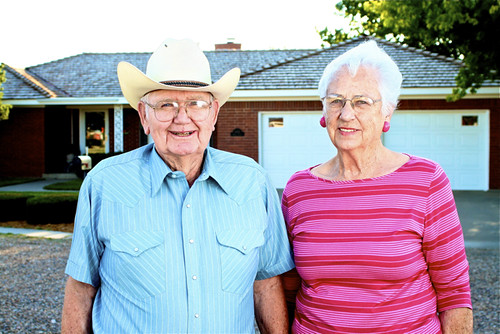
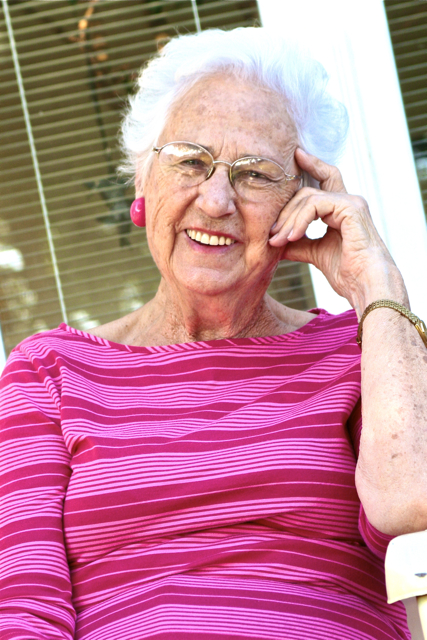
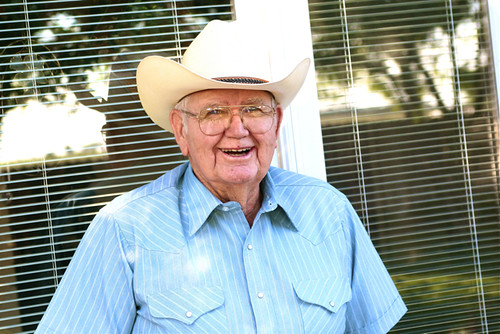
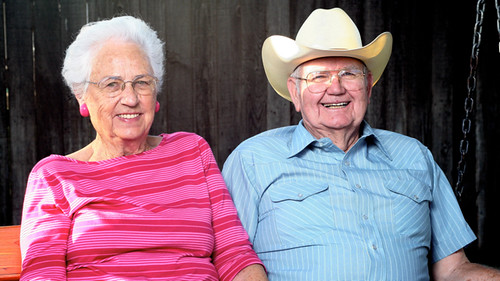
I just got back from my Grandparents house in Texas and wanted the first entry back in town to be devoted to them.

I typically don't jump out in front of the camera to explain stuff, you normally have to deal with my scrambled writing, but today I thought it was video time. This is not a crazy setup. It is nothing fancy or flashy. BAHAHAHAHA It's just a basic way that I find myself building portraits on a regular basis. All the credit here goes to the Blogger David Hobby of Strobist.com, who has taught me everything you see here.

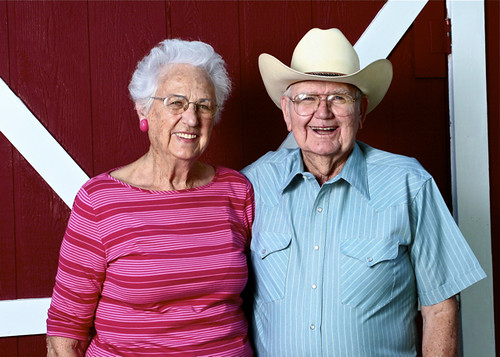
With just this simple setup I was able to achieve decent looking lighting on very quick and simple portraits. My grandparents were not the easiest subjects to work with, so I kept things simple, quick, easy and light. I needed things to look and be easy on their part, but achieve professional-looking images on my side.

Grannie & Papa - 1

Grannie & Papa - 2

Grannie & Papa - 3

Grannie & Papa - 4

Grannie & Papa - 5

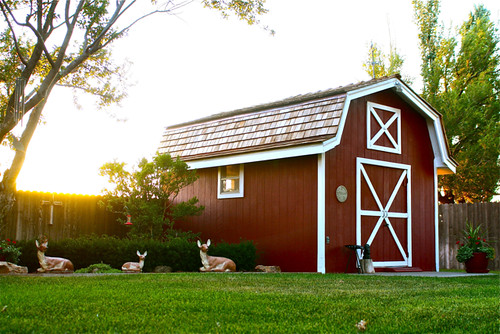
the Golden Red Barn

The barn and the individuals were both natural ambient light, but the three "together" portraits where with this simple, Strobist setup.